Please fill out the form below and we will get back to you as soon as possible.

Blog
How to Mount a TV and Hide Cables for a Home Theater
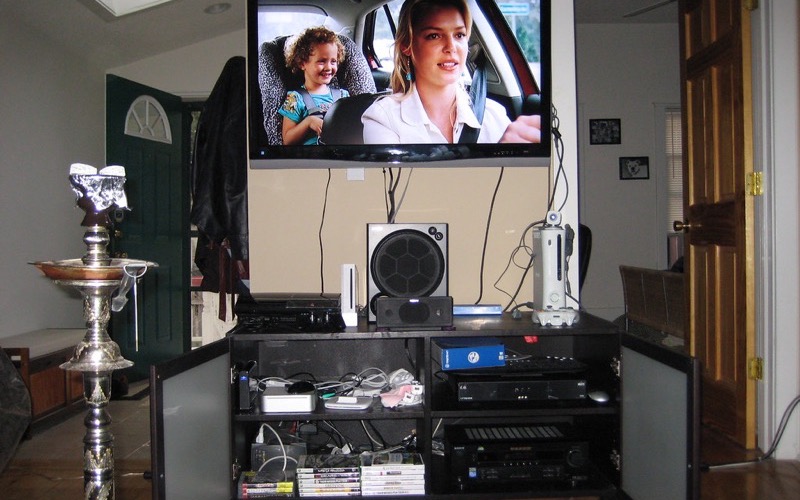
Nothing kills the cinema vibe like a TV floating over a tangle of dangling cables. Mounting your TV on the wall and hiding the cords is one of the highest-impact home theater upgrades you can do yourself, and it instantly makes a room look custom. This guide covers how to mount a TV securely on a stud and how to hide TV cables cleanly, from the easy no-cut method to a flush in-wall finish.
Choose the Right Wall Mount and Spot
Start by matching the mount to your TV's size and weight, and check the VESA pattern (the spacing of the screw holes on the back). Then pick your height: a good rule is to center the screen at eye level when you're seated, which is usually lower than people expect.
- Fixed mount: cheapest and slimmest, but no angle adjustment
- Tilting mount: great for TVs mounted a bit high, like over a fireplace
- Full-motion mount: pulls out and swivels, ideal for corners and bright rooms
- Always confirm the mount's weight rating exceeds your TV's weight
Pro tip: A TV mounted too high over a fireplace strains your neck. Tilting mounts help, but lower is almost always more comfortable.
Tools and Materials You'll Need
- TV wall mount kit with hardware
- Stud finder
- Power drill and a set of bits
- Level (or a phone level app)
- Socket wrench or the included lag bolts
- Painter's tape and a pencil
- Cable management: raceway/cord cover or an in-wall cable kit
- HDMI cables long enough to reach your components
Step-by-Step: Mount the TV
- Use a stud finder to locate and mark the studs. Mounting into studs is non-negotiable for a heavy TV, drywall anchors alone won't hold.
- Hold the wall plate at your chosen height, level it, and mark the bolt holes over the studs.
- Drill pilot holes into the studs to prevent splitting the wood.
- Bolt the wall plate to the studs with the included lag bolts and a socket wrench, then double-check it's level.
- Attach the mounting brackets to the back of the TV using the correct VESA screws.
- With a helper, lift the TV and hook the brackets onto the wall plate, then lock the safety mechanism.
- Plug in your HDMI and power cables before tidying so you don't have to lift the TV again.
How to Hide the Cables
You have two main paths. The renter-friendly, no-cut method uses a paintable cord raceway that sticks to the wall and conceals cables in a low-profile channel. The clean, built-in look runs cables inside the wall using an in-wall cable kit with two brackets, one behind the TV and one near your components.
- Easy method: stick a paintable raceway down the wall, snap your cables inside, and paint it to match.
- Flush method: cut two small openings between studs (one behind the TV, one low near the outlet), feed the cables through, and install the recessed brackets.
- Use an in-wall rated power kit, never run a standard extension cord inside the wall, that's a fire hazard and a code violation.
- Bundle and label cables with velcro ties so future swaps are painless.
Frequently Asked Questions
Can I mount a TV without hitting a stud?
For small, lightweight TVs you can use heavy-duty toggle bolts rated for the weight, but for anything 40 inches and up you should anchor into at least one stud. A mount that pulls out of drywall can damage your TV, your wall, and anyone standing nearby.
Is it safe to run an extension cord inside the wall?
No. Standard extension cords and power strips are not rated for in-wall use and are a fire hazard. To get power behind a wall-mounted TV, use an in-wall rated cable kit or have an electrician add a recessed outlet.
How high should I mount my TV?
Aim to have the center of the screen at eye level when seated, often around 42 inches from the floor to the center for a typical living room. Mount higher only when necessary and use a tilting mount to angle the screen back toward your seats.
Rather have a pro handle it?
Get matched with a vetted, insured local pro in about 30 minutes — and track them on the live map.