Please fill out the form below and we will get back to you as soon as possible.

Blog
Smart Lock Basics: How to Choose and Install One
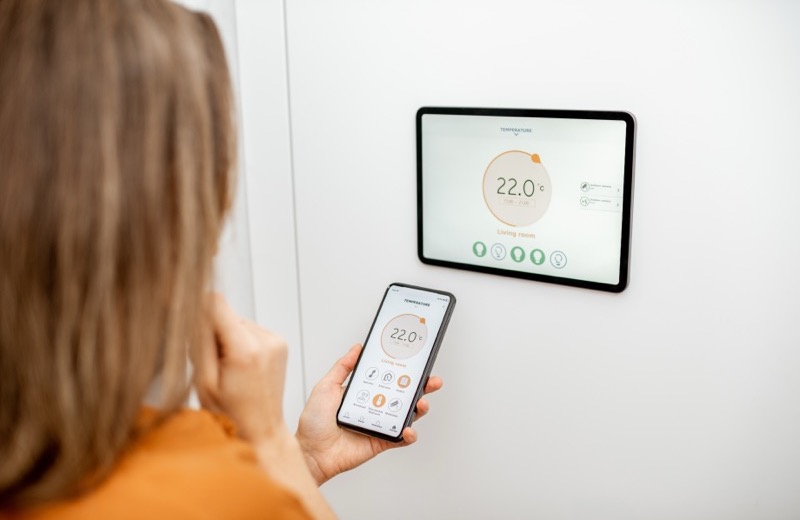
No more hiding a key under the mat or getting locked out with grocery bags in both hands. A smart lock lets you unlock your door with a code, your phone, or your voice, and lets you give the dog walker temporary access without copying a key. If you're new to keyless entry, the good news is that smart lock basics are easy to grasp and most models install in about half an hour. Here's how to choose and install the right one for your home.
How Smart Locks Work and the Main Types
Smart locks replace or augment your existing deadbolt and add a keypad, app control, or both. They connect to your phone over Bluetooth or Wi-Fi, and some use a hub to let you lock or unlock from anywhere. Before buying, measure your door and check that your current deadbolt is a standard size, most smart locks are built to fit it.
- Keypad locks: enter a code, great for guests and kids who lose keys
- App and Bluetooth locks: unlock as you approach with your phone
- Wi-Fi or hub-connected locks: lock and check status from anywhere
- Retrofit locks: mount over your existing deadbolt and keep your keys working outside
Security tip: Choose a smart lock with auto-lock and a unique code for each family member so you always know who came and went.
Tools and Materials You'll Need
- Your chosen smart lock kit (most include all mounting hardware)
- A Phillips screwdriver
- The lock's app installed on your phone
- Fresh batteries (usually AA, often included)
- A tape measure to confirm your door thickness and backset
- 2.4GHz Wi-Fi or the included hub if your lock connects remotely
Step-by-Step: Install a Smart Lock
- Remove your old deadbolt: unscrew the interior plate, then pull the two halves and the bolt mechanism out of the door.
- Measure your door thickness and backset, then set any adjustment collars on the new lock to match.
- Insert the new deadbolt latch into the edge of the door and screw the strike plate into the frame.
- Mount the exterior keypad or cylinder, feeding the connector cable through to the inside.
- Attach the interior assembly, connect the cable, and secure it with the included screws.
- Install the batteries and listen for the lock to test-cycle the bolt.
- Open the app, pair the lock, and run the calibration so it learns your door's locked and unlocked positions.
- Add user codes, turn on auto-lock, and test from both inside and outside before you trust it.
Smart Lock Security and Smart Home Tips
A smart lock is only as secure as its setup. Use unique codes, enable auto-lock so the door never sits unlocked, and keep firmware updated. If your lock connects to Alexa, Google, or Apple Home, you can fold it into routines, like locking every door when you say goodnight.
- Give each person a unique code and delete codes you no longer need
- Enable auto-lock after 30 to 60 seconds
- Keep a physical backup key or know your battery-jump option in case of dead batteries
- Update firmware and use a strong, unique app password with two-factor login
Frequently Asked Questions
Can I install a smart lock myself?
Yes, for most standard doors a smart lock is a confident DIY job that takes about 30 minutes with a screwdriver. You'll only want a pro if your door is misaligned, swollen, or has a non-standard deadbolt bore that needs adjusting.
What happens to my smart lock if the power or batteries die?
Smart locks run on batteries, not your home's power, and most warn you well before they're low. If the batteries die completely, many locks let you jump them with a 9-volt battery held to the contacts, and most keypad models also keep a physical key backup.
Are smart locks safe from hackers?
Reputable smart locks use strong encryption, and the bigger real-world risk is a weak app password or a sticky door that won't latch. Use two-factor authentication, unique codes, and auto-lock, and you'll be more secure than a traditional key you might lose.
Rather have a pro handle it?
Get matched with a vetted, insured local pro in about 30 minutes — and track them on the live map.