Please fill out the form below and we will get back to you as soon as possible.

Blog
How to Set Up Smart Lighting at Home: A Beginner's Guide
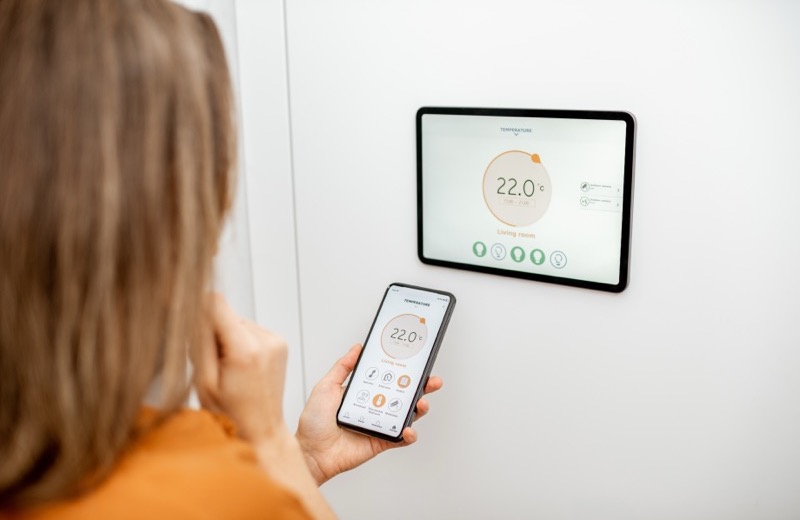
Smart lighting is the gateway drug of the smart home world, and for good reason. With a few smart bulbs or a smart switch, you can dim the living room from the couch, schedule the porch light to fend off package thieves, and tell your speaker to turn everything off at bedtime. If you're wondering how to set up smart lighting without an electrician's bill, most of it is genuinely plug-and-play. Here's how to start.
Smart Bulbs vs. Smart Switches: Pick Your Approach
The first decision is whether to go with smart bulbs, smart switches, or a mix. Smart bulbs screw right into existing fixtures and need zero wiring, which makes them perfect for renters and beginners. Smart switches replace the wall switch itself, so any dumb bulb in the fixture becomes controllable, and they don't lose their settings when someone flips the switch off.
- Smart bulbs: no wiring, great for lamps and renters, but lose control if someone hits the wall switch
- Smart switches: control whole fixtures and keep working with normal bulbs, but require basic electrical work
- Smart plugs: turn any lamp into a smart light with zero tools
Beginner tip: Start with smart bulbs and smart plugs to learn the apps and routines before you ever touch a wall switch.
Tools and Materials You'll Need
- Smart bulbs, smart plugs, or smart switches that match your ecosystem (Matter, Alexa, Google, or Apple Home)
- A reliable Wi-Fi connection or a smart home hub if your devices need one
- The manufacturer's app installed on your phone
- For switches: a screwdriver, voltage tester, and wire nuts
- A smart speaker or display if you want voice control
Step-by-Step: Set Up Your Smart Lighting
- Pick one ecosystem first, Alexa, Google Home, or Apple Home, so all your devices play nicely together. Look for the Matter logo for the most flexibility.
- Start simple: screw in a smart bulb or plug in a smart plug, then open the app and follow the pairing steps.
- Connect each device to your 2.4GHz Wi-Fi network (most smart bulbs don't support 5GHz).
- Group your lights by room in the app so you can control a whole space at once.
- Create scenes like Movie Night (dim and warm) and Morning (bright and cool) to set the mood with one tap.
- Add schedules and automations, for example, porch lights at sunset and everything off at midnight.
- Link your smart speaker or display and test voice commands like turn off the kitchen lights.
- Fine-tune brightness and color temperature until each room feels right.
Building Scenes and Automations That Actually Get Used
The magic of smart lighting isn't the app, it's the automations you stop thinking about. Sunset schedules, motion-activated hallway lights at night, and a single goodnight command save you real steps every day. Keep your scenes few and meaningful so you actually remember they exist.
- Sunset to sunrise schedules for security and porch lights
- Motion-triggered low-brightness lights for hallways and bathrooms at night
- A single Goodnight scene that shuts off the whole house
- Vacation mode that randomizes lights to look lived-in
Frequently Asked Questions
Do smart bulbs work without Wi-Fi?
Most smart bulbs need Wi-Fi or a hub to be controlled by app or voice. They'll still turn on like a normal bulb from the wall switch, but you lose dimming, scheduling, and remote control until the network is back.
Are smart bulbs or smart switches better?
It depends on your goal. Smart bulbs are the easiest, no-wiring option and great for lamps and renters. Smart switches are better for whole-room fixtures and for households where people habitually flip the wall switch, since the lights keep their smarts.
Do I need a hub for smart lighting?
Not always. Many Wi-Fi smart bulbs connect directly to your router with no hub. Some systems, especially Zigbee or Z-Wave based ones, use a hub for faster, more reliable control of lots of devices at once.
Rather have a pro handle it?
Get matched with a vetted, insured local pro in about 30 minutes — and track them on the live map.