Please fill out the form below and we will get back to you as soon as possible.

Blog
How to Install a Smart Dimmer Switch (DIY Step-by-Step)
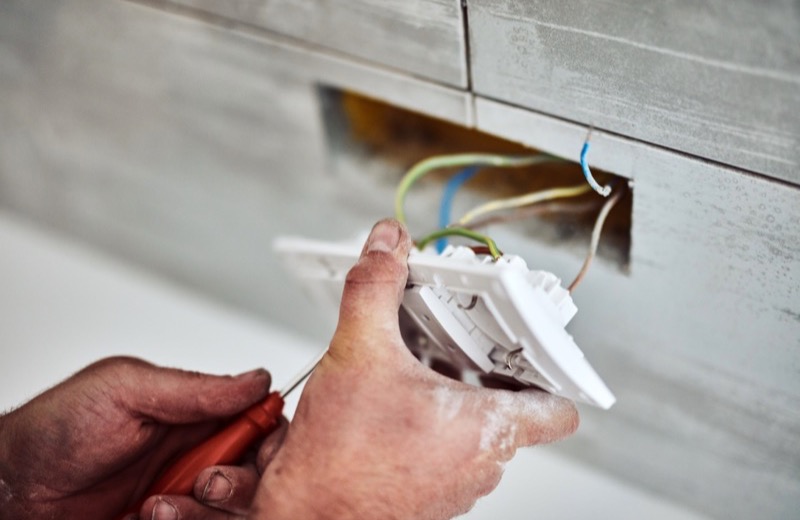
Smart dimmer switches are one of the easiest, highest-impact smart home upgrades you can make. Dim the living room from the couch, set lights to fade on at sunset, or tell your voice assistant to turn everything off at bedtime. Best of all, installing a smart dimmer switch is a very doable weekend DIY project if you can wire a standard switch.
That said, smart dimmers have one requirement that trips up a lot of homeowners: a neutral wire. This guide covers how to install a smart dimmer switch from the all-important neutral wire check through wiring, mounting, and app setup.
First, Check for a Neutral Wire
Most WiFi smart dimmers need constant power to stay connected, which means they require a neutral wire, usually a bundle of white wires tucked into the back of the box. Older homes often lack an accessible neutral at the switch.
- Turn off the breaker for the circuit and confirm the power is off with a voltage tester.
- Remove the cover plate and unscrew the existing switch.
- Gently pull the switch out and look into the box for a bundle of white wires, usually capped together with a wire nut.
- If you see white wires bundled in the back, you likely have a neutral. If not, look for a no-neutral smart dimmer instead.
No neutral wire? Don't improvise. Either buy a smart dimmer designed for no-neutral installs, or have an electrician run one. Misusing the ground as a neutral is dangerous and against code.
Tools and Materials You'll Need
- Smart dimmer switch kit (confirmed compatible with your wiring)
- Non-contact voltage tester
- Phillips and flathead screwdrivers
- Wire strippers and needle-nose pliers
- Wire connectors (often included)
- Smartphone with the manufacturer's app installed
- Your home WiFi password
How to Install a Smart Dimmer Switch, Step by Step
- Switch off the breaker and verify with a voltage tester that the wires are dead.
- Remove the old switch and photograph the existing wiring for reference.
- Identify your wires: line (incoming hot), load (to the light), neutral (white bundle), and ground (bare or green).
- Connect the smart dimmer's wires to match: line to line, load to load, neutral to the white bundle, and ground to ground. Follow the manufacturer's diagram exactly, since color coding varies by brand.
- Secure each connection with a wire nut and a gentle tug test to make sure nothing pulls loose.
- Carefully fold the wires into the box and screw the dimmer into place. Smart dimmers are bulkier, so tuck wires neatly to avoid crowding.
- Attach the faceplate, restore power at the breaker, and confirm the light responds.
- Open the manufacturer's app, follow the pairing steps, connect to your 2.4GHz WiFi network, and set up schedules, scenes, or voice control.
Setup and Compatibility Tips
- Most smart dimmers connect to 2.4GHz WiFi, not 5GHz. Keep that in mind when pairing.
- Check bulb compatibility. Use dimmable LED bulbs to avoid flicker or buzzing.
- For three-way setups, buy a smart dimmer kit that includes a companion switch.
- Name your switch clearly in the app, like 'Kitchen Overhead,' so voice commands work smoothly.
Frequently Asked Questions
Can I install a smart dimmer without a neutral wire?
Sometimes. Many brands now make no-neutral smart dimmers designed for older homes. Just confirm the model you buy specifically supports no-neutral installation, and never substitute the ground wire for a neutral.
Why is my smart dimmer making my LED bulbs flicker?
Flicker usually means a bulb compatibility issue. Use bulbs labeled dimmable and check the dimmer's compatibility list. Some dimmers also have a minimum-brightness or trim setting in the app that fixes flicker at low levels.
Do smart dimmers work during a power outage?
No. Like any switch, a smart dimmer needs power to function. When power returns, most reconnect to WiFi automatically and restore your schedules and scenes.
Rather have a pro handle it?
Get matched with a vetted, insured local pro in about 30 minutes — and track them on the live map.